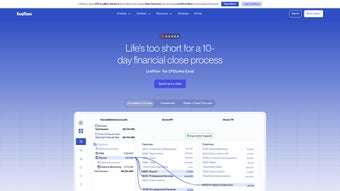
Download LiveFlow – AI‑Driven Financial Automation for Excel & Google Sheets
Overview: Modern Finance Teams Need Real‑Time Automation
LiveFlow is an AI‑powered financial automation platform designed to turn the spreadsheets finance teams already love into live, interactive dashboards. By connecting directly to QuickBooks Online, Xero, Sage Intacct and other leading accounting systems, LiveFlow streams transaction data into Google Sheets or Microsoft Excel the moment a journal entry is posted. This bi‑directional sync eliminates the tedious export‑import loops that traditionally slow month‑end close, allowing analysts to focus on insight rather than data entry.
The solution lives in the cloud, so updates, security patches and new features are delivered automatically without user intervention. All data is protected with AES‑256 encryption at rest and TLS 1.3 in transit, and the platform meets SOC 2 Type II, GDPR and CCPA requirements. LiveFlow’s subscription model includes tiered pricing that scales from small startups to enterprise‑level organizations, ensuring that every team can access the same robust engine without heavy upfront costs.
Beyond simple syncing, LiveFlow leverages machine‑learning models to validate incoming data, flag anomalies and suggest corrections before they reach your financial statements. Multi‑entity consolidation is handled through AI‑driven mapping, so disparate chart‑of‑accounts across subsidiaries are automatically aligned into a single, coherent set of reports. The end result is a single source of truth that lives inside the spreadsheet environment, providing finance leaders with instant visibility, reduced error rates and faster decision‑making cycles.
Key Features That Drive Efficiency
- Live QuickBooks Online Sync: Real‑time, bi‑directional data flow keeps spreadsheets aligned with the latest ledger entries.
- Dynamic Reporting Engine: One‑click report generation with templates that refresh automatically as source data changes.
- AI‑Assisted Data Validation: Automated checks detect duplicates, outliers and potential errors before they affect reporting.
- Multi‑Entity Consolidation: AI maps differing account structures across subsidiaries, producing group‑level statements without manual mapping.
- Formula Preservation: Custom Excel or Google Sheets formulas survive data refreshes, preventing broken calculations.
- Extensive Template Library: Over 100 ready‑made dashboards for cash‑flow, budgeting, variance analysis and more.
- Secure Cloud Architecture: End‑to‑end encryption, role‑based access controls and SOC 2 compliance ensure data safety.
- Collaboration Tools: Comment threads, change logs and version history enable teams to work together without overwriting work.
- Scheduled Refreshes & Alerts: Automated data pulls and threshold‑based notifications keep stakeholders informed.
- Scalable Pricing: Tiered plans grow with your organization, from starter packs to enterprise bundles.
Each feature is built to reduce manual effort and improve data integrity. For example, the AI validation engine learns from historical patterns, offering suggested corrections that can save hours of reconciliation each month. The multi‑entity consolidation tool automatically aligns disparate chart‑of‑accounts, allowing finance leaders to produce consolidated statements without a spreadsheet wizard. Additionally, the platform’s open webhook system lets you push refreshed data into downstream BI tools such as Power BI or Tableau, ensuring a seamless flow from raw numbers to executive dashboards.
Installation, Setup & Compatibility
Getting Started in Minutes
LiveFlow is a web‑based SaaS solution, so there is no traditional installer. Simply visit liveflow.io, click “Start Free Trial,” and create a secure account using an email address or single‑sign‑on (SSO) via Azure AD, Google Workspace or Okta. An intuitive onboarding wizard then guides you through three core steps: connecting your accounting system, linking your spreadsheet environment, and selecting a reporting template.
Connecting Your Accounting System
From the LiveFlow dashboard, choose “Add Source” and select QuickBooks Online (or Xero, Sage Intacct, NetSuite). After authenticating, grant read‑and‑write permissions. LiveFlow instantly imports the chart of accounts, recent transactions and vendor lists. Sync frequency can be set to every 5 minutes, hourly or daily, depending on reporting cadence.
Linking Google Sheets or Excel
LiveFlow supports both Google Sheets and Microsoft Excel (Office 365). For Google Sheets, authorize the Google API, pick the spreadsheet to transform and map the relevant data ranges. For Excel, install the LiveFlow add‑in from Microsoft AppSource; the add‑in creates secure cloud connections, allowing workbooks to pull data directly into cells using custom functions such as =LIVEFLOW("Revenue").
Operating System Compatibility
LiveFlow runs on any modern web browser—Chrome, Edge, Firefox or Safari—making it compatible with Windows 10/11, macOS Ventura and later, Linux, as well as mobile browsers on iOS and Android. The Excel add‑in works on Windows Office 365 and Mac Office 365, while the Google Sheets integration is platform‑agnostic.
Security, Updates & Ongoing Support
Because the platform is cloud‑hosted, updates are rolled out automatically, ensuring you always have the latest features and security patches. Data at rest is encrypted with AES‑256, and data in transit uses TLS 1.3. Role‑based permissions let administrators define who can view, edit or publish reports, safeguarding sensitive financial information. LiveFlow offers 24/7 email support, live chat during business hours and a dedicated account manager for enterprise customers.
Conclusion, Pros & Cons, FAQ & Call to Action
LiveFlow bridges the gap between traditional spreadsheet flexibility and modern automation demands. By delivering real‑time data, AI‑driven validation and multi‑entity consolidation inside the familiar environments of Google Sheets and Excel, it accelerates close cycles, reduces errors and frees finance professionals to focus on strategic analysis.
Pros
- Instant, bi‑directional sync with QuickBooks Online and other major ERPs.
- AI‑powered data validation and multi‑entity consolidation.
- Preserves custom formulas during automated refreshes.
- Extensive library of ready‑made, customizable templates.
- Secure, cloud‑first architecture with SOC 2, GDPR and CCPA compliance.
- Scalable pricing fits startups to large enterprises.
Cons
- Requires a stable internet connection for optimal performance.
- Advanced AI features are limited to higher‑tier subscription plans.
- Initial setup may need assistance for heavily customized chart‑of‑accounts.
- Limited offline capability compared to pure desktop‑only tools.
FAQ
Can LiveFlow integrate with accounting systems other than QuickBooks Online?
Yes. LiveFlow also offers native connectors for Xero, Sage Intacct and NetSuite, plus a webhook framework for custom API integrations.
Is there a free trial or a forever‑free version?
LiveFlow provides a 14‑day free trial with full feature access. After the trial, subscription plans start at $49 per user per month.
How does LiveFlow ensure data security and compliance?
The platform uses AES‑256 encryption at rest, TLS 1.3 in transit, role‑based access controls, and is SOC 2 Type II certified. It also supports GDPR and CCPA compliance features.
Will my existing Excel macros still work after connecting to LiveFlow?
Yes. The LiveFlow Excel add‑in respects existing VBA macros and only updates the cells linked to LiveFlow data, leaving your custom logic intact.
What kind of customer support is available?
LiveFlow offers 24/7 email support, live chat during business hours, a comprehensive knowledge base, community forum, and a dedicated account manager for enterprise customers.
If you’re ready to replace manual spreadsheet juggling with a secure, AI‑enhanced automation engine, start your free trial today. Click the button below, connect your accounting system, and watch your spreadsheets transform into live, actionable dashboards in minutes.
LiveFlow delivers a compelling blend of automation, real‑time data, and spreadsheet familiarity. The platform’s strengths lie in its seamless QuickBooks integration, AI‑powered consolidation, and the ability to keep complex formulas intact during refreshes. While the reliance on cloud connectivity can be a limitation for offline work, the security, scalability, and continuous feature updates more than offset this drawback. Overall, LiveFlow is a must‑have tool for finance teams looking to modernize reporting without abandoning the spreadsheet environment they trust.


